

What can you add here?
You can add information that helps the agent understand the business, the customer, the product, or the topic of the experience. Examples:- Menu details for a restaurant
- Dietary information, allergens, calories, or vegan options
- Diet and nutrition notes for a wellness experience
- Brand style guide or tone of voice
- Product descriptions and size information
- Fashion trends, outfit rules, seasonal styles, or styling tips
- Beauty service descriptions and aftercare notes
- Interior design trends, color palettes, decoration styles, or material guides
- Hotel, venue, or event information
- FAQs, policies, return rules, booking rules, or delivery details
Add files
Use Files when you already have a document ready. This can be a PDF, DOC, DOCX, or TXT file. For example, a brand guide, a menu, a product catalog, a service list, a policy document, or a client brief.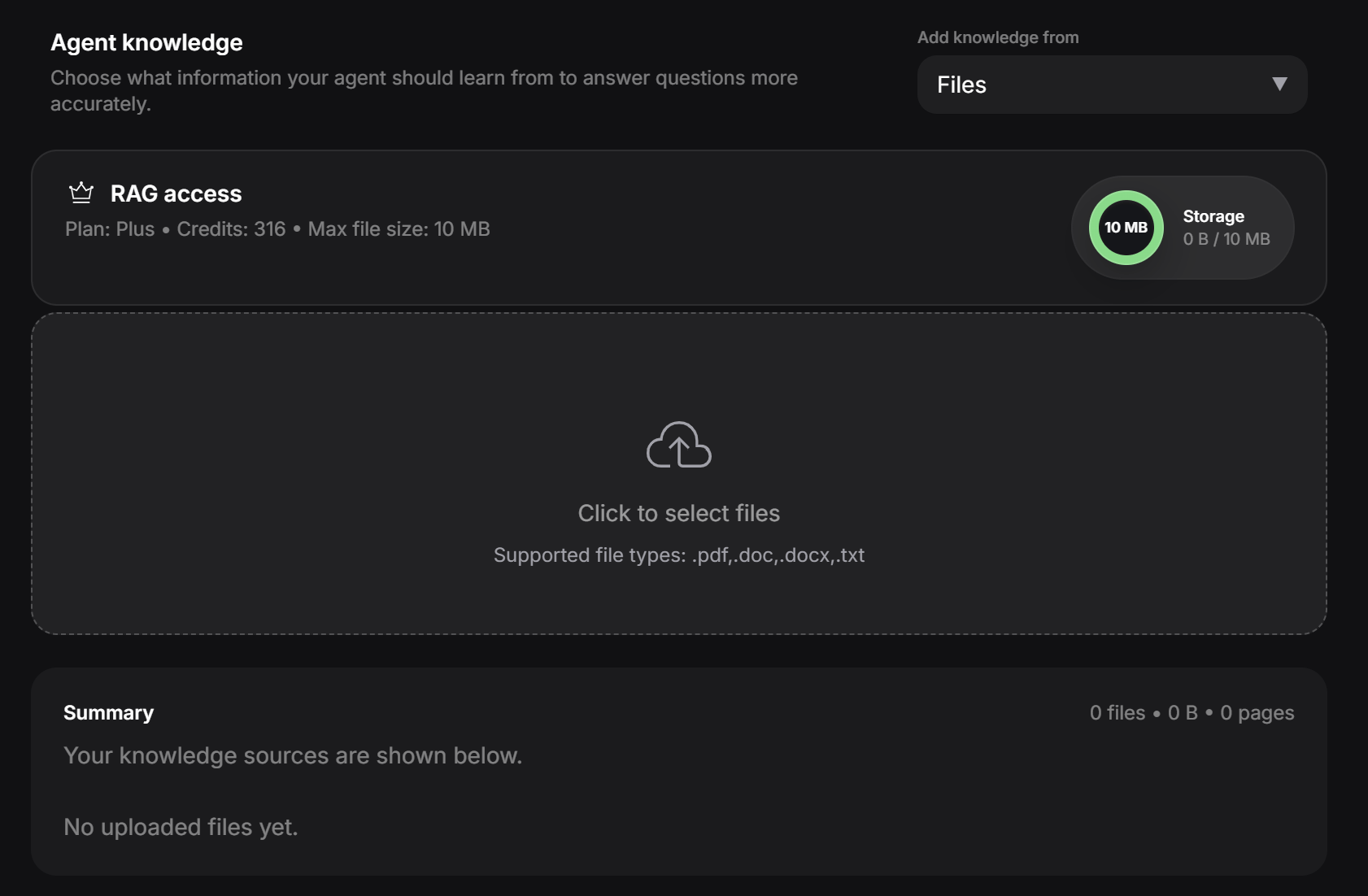
restaurant-menu.pdfbrand-guidelines.docxoutfit-style-notes.txtsalon-services.pdfinterior-design-trends.docxdiet-and-allergen-info.pdf
Add a website
Use Website when the information already exists online. The designer can paste a website URL and let PeekTag scan the page. This is useful when the agent needs context from an article, a help page, a product page, a Wikipedia page, or another trusted source.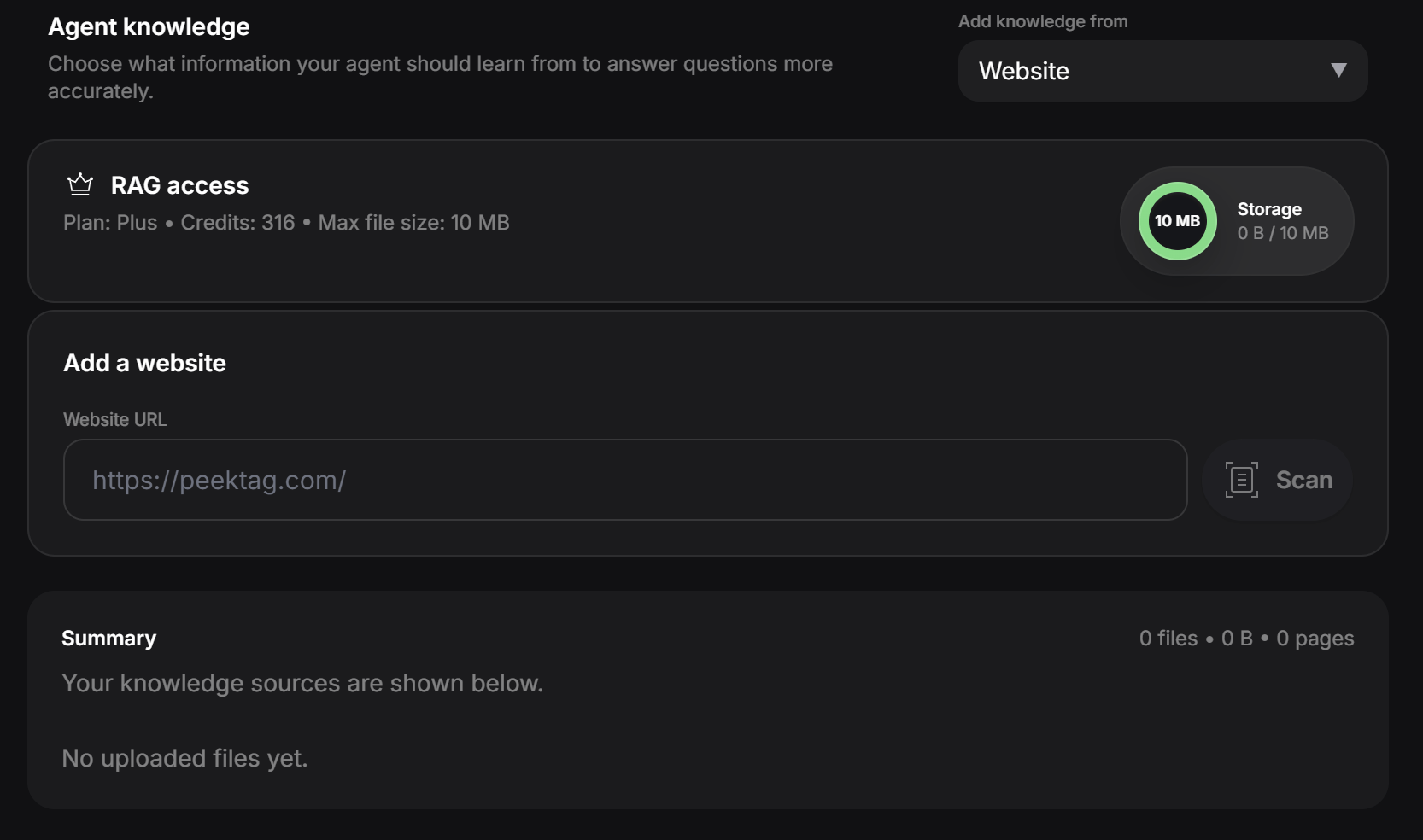
- A Wikipedia article about a fashion style or design movement
- A brand page that explains product materials
- A restaurant website with menu information
- A blog post about current fashion trends
- An article about Mediterranean diet basics
- A page about interior design trends
- A support page with policies or FAQs
Only add websites that are useful for the experience. A good source helps the agent answer better. A random source can confuse it.
Add text snippets
Use Text snippets when you just want to paste your own notes. This is useful when the designer has information that is not in a file or website yet. You can paste plain text, notes, or Markdown content, and PeekTag will save it as a knowledge source for the agent.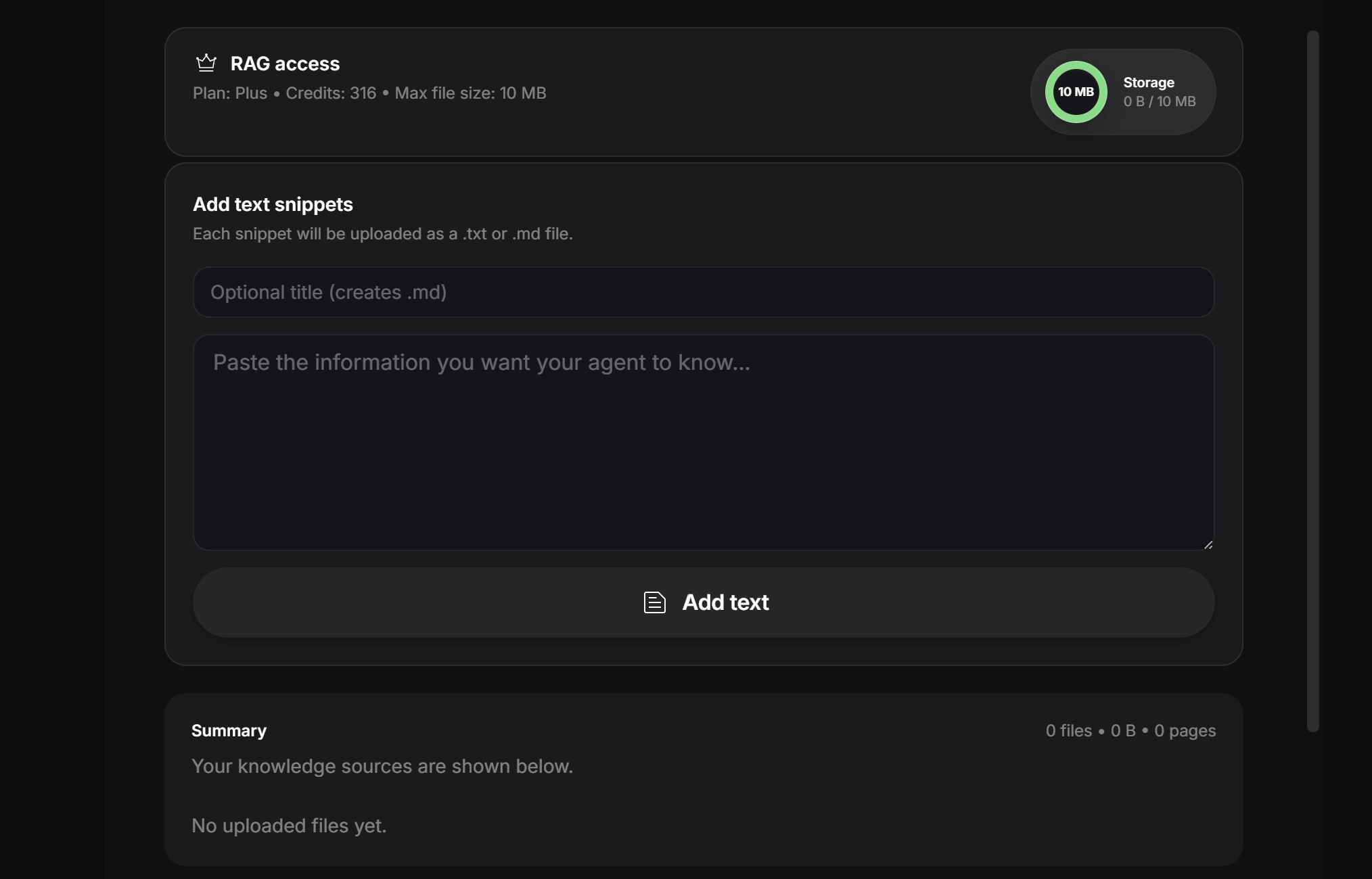
After adding knowledge
After you add or update knowledge sources, train the agent again.Best practices
- Add only useful and relevant information.
- Remove old files when they are no longer correct.
- Avoid adding duplicate information in many places.
- Use trusted websites when scanning online content.
- Keep sensitive or private information out unless it is safe to use.
- Train the agent after every important knowledge update.
Next: Conversation Flow
Configure how the agent guides users through the conversation.