> ## Documentation Index
> Fetch the complete documentation index at: https://docs.peektag.com/llms.txt
> Use this file to discover all available pages before exploring further.
# Submission Details
> Open one customer submission and review its status, order details, totals, metadata, and payment information.
Submission Details shows the full information for one submitted request.
The tag owner opens this page by clicking a submission from the records list.
 ## What the owner can see
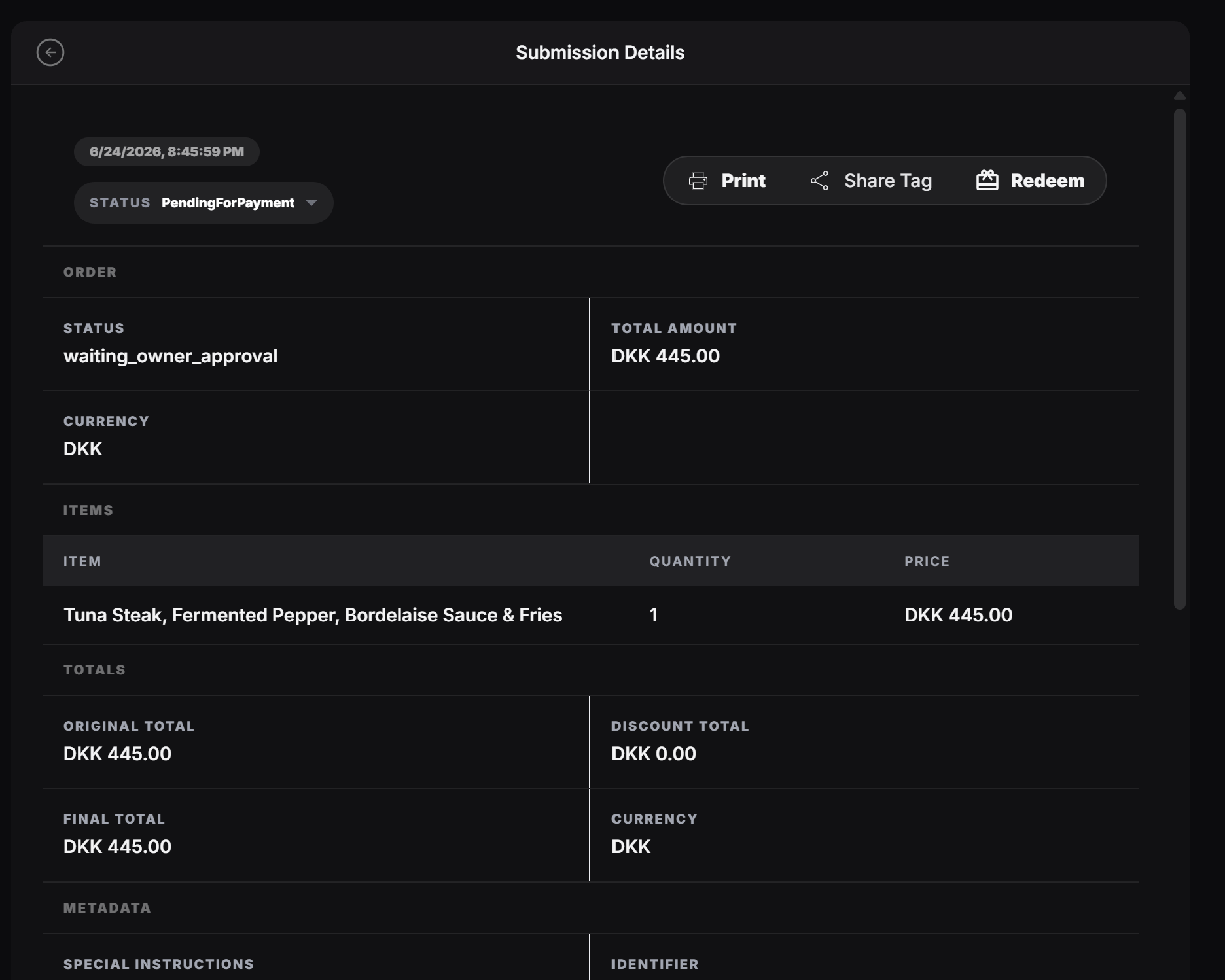
A submission detail page can include:
* Created date and time
* Current status
* Print, Share Tag, and Redeem actions
* Order status
* Total amount and currency
* Submitted items
* Totals and discounts
* Customer notes or special instructions
* Source and metadata
* Payment provider and payment status
For example, a restaurant order might show the selected food item, quantity, price, final total, payment method, and special instructions like asking for salt, pepper, or a glass of milk.
## Why this page matters
Use this page when the owner needs to understand exactly what the customer submitted before approving, preparing, redeeming, printing, or sharing the request.
The list page is for finding submissions. The details page is for acting on one specific submission.
## What the owner can see
A submission detail page can include:
* Created date and time
* Current status
* Print, Share Tag, and Redeem actions
* Order status
* Total amount and currency
* Submitted items
* Totals and discounts
* Customer notes or special instructions
* Source and metadata
* Payment provider and payment status
For example, a restaurant order might show the selected food item, quantity, price, final total, payment method, and special instructions like asking for salt, pepper, or a glass of milk.
## Why this page matters
Use this page when the owner needs to understand exactly what the customer submitted before approving, preparing, redeeming, printing, or sharing the request.
The list page is for finding submissions. The details page is for acting on one specific submission.