> ## Documentation Index
> Fetch the complete documentation index at: https://docs.peektag.com/llms.txt
> Use this file to discover all available pages before exploring further.
# Order
> Configure ordering behavior, payment-related options, and order flow details.
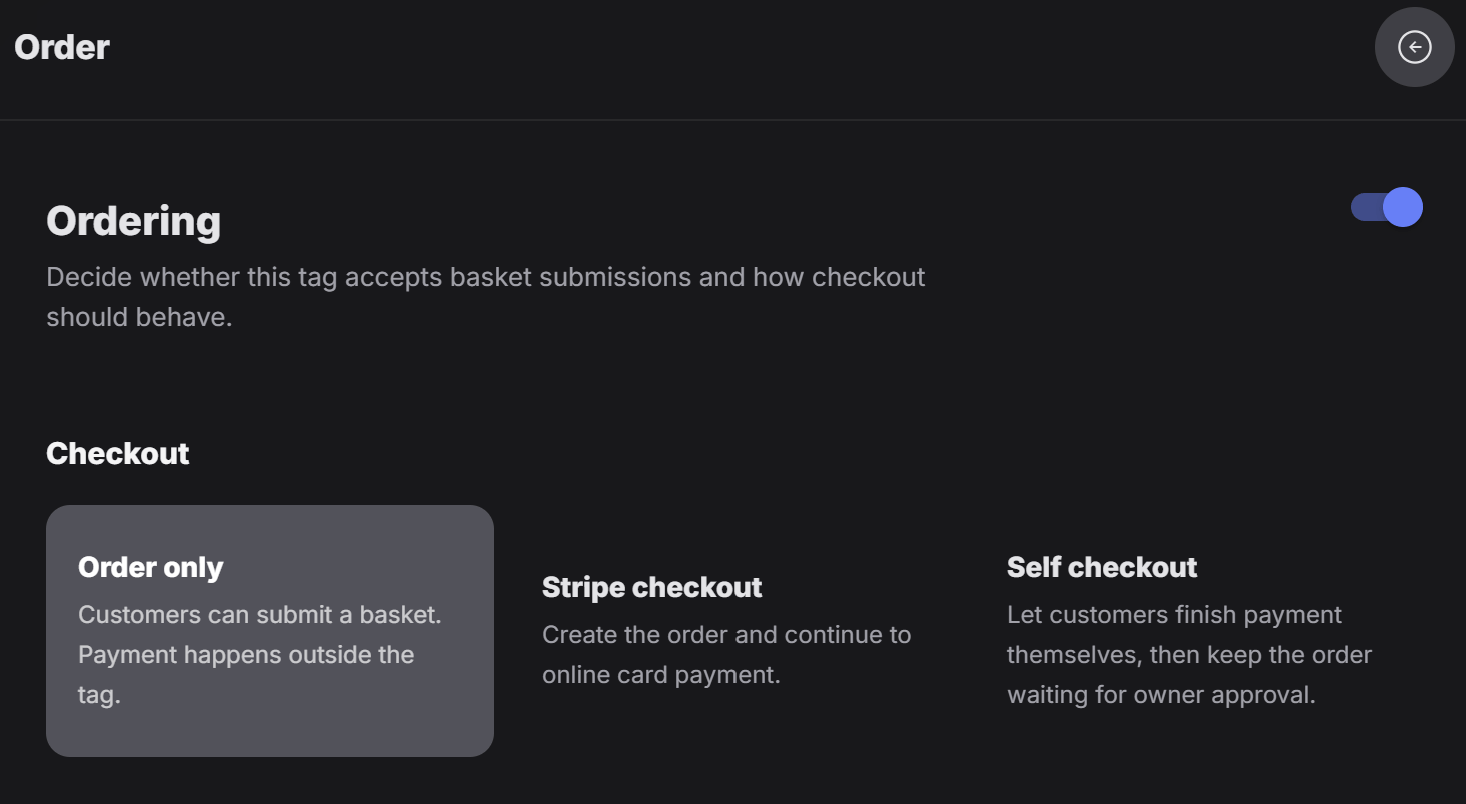
The Order form is where the designer decides how the tag should handle ordering.
If the ordering system is turned on, the designer can choose between three checkout modes.
 ## 1. Order only
In the first mode, the system only records the order.
This means the customer can submit the basket and the order information is saved for that tag, but payment does not happen inside the tag.
This mode is useful when:
* The owner wants to receive the order first
* Payment happens later
* The business confirms the order manually
* The tag should collect basket data without online checkout
## 2. Stripe checkout
The second mode is Stripe checkout.
In this mode, the order is created and the customer continues to online card payment.
If this option is selected, the tag owner must have the Stripe Connect setup ready.
This is the right choice when the business wants customers to pay online directly through Stripe.
## 3. Self checkout
The third mode is self checkout.
Right now, this mode is only available in Denmark.
## 1. Order only
In the first mode, the system only records the order.
This means the customer can submit the basket and the order information is saved for that tag, but payment does not happen inside the tag.
This mode is useful when:
* The owner wants to receive the order first
* Payment happens later
* The business confirms the order manually
* The tag should collect basket data without online checkout
## 2. Stripe checkout
The second mode is Stripe checkout.
In this mode, the order is created and the customer continues to online card payment.
If this option is selected, the tag owner must have the Stripe Connect setup ready.
This is the right choice when the business wants customers to pay online directly through Stripe.
## 3. Self checkout
The third mode is self checkout.
Right now, this mode is only available in Denmark.
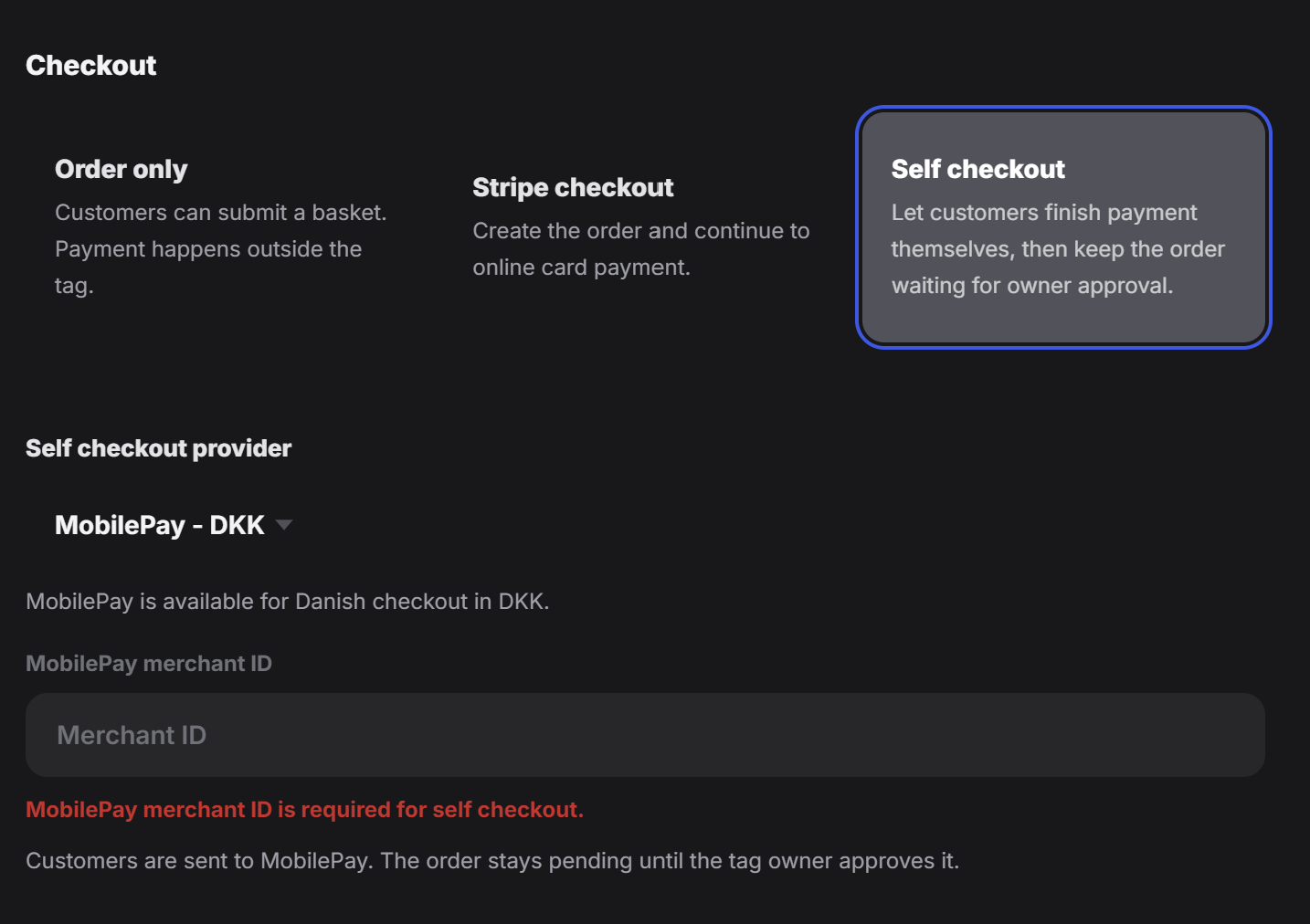 In this mode, the designer enters the MobilePay information for the tag owner.
The customer is then sent to MobilePay to complete payment, and the order stays pending until the owner approves it.
This is useful when the business wants the customer to handle payment directly, while the owner still keeps control over final approval.
## Simple way to choose
* Use `Order only` if you just want to capture the order and handle payment outside the tag.
* Use `Stripe checkout` if the owner has Stripe Connect ready and wants online card payment.
* Use `Self checkout` if the business is using MobilePay in Denmark and wants the customer to complete payment directly.
Before choosing a payment mode, make sure the owner has the required payment setup ready. Stripe checkout needs Stripe Connect, and self checkout needs the correct MobilePay setup.
In this mode, the designer enters the MobilePay information for the tag owner.
The customer is then sent to MobilePay to complete payment, and the order stays pending until the owner approves it.
This is useful when the business wants the customer to handle payment directly, while the owner still keeps control over final approval.
## Simple way to choose
* Use `Order only` if you just want to capture the order and handle payment outside the tag.
* Use `Stripe checkout` if the owner has Stripe Connect ready and wants online card payment.
* Use `Self checkout` if the business is using MobilePay in Denmark and wants the customer to complete payment directly.
Before choosing a payment mode, make sure the owner has the required payment setup ready. Stripe checkout needs Stripe Connect, and self checkout needs the correct MobilePay setup.