> ## Documentation Index
> Fetch the complete documentation index at: https://docs.peektag.com/llms.txt
> Use this file to discover all available pages before exploring further.
# Fomo
> Configure urgency messages such as limited-time offers, happy hour windows, and remaining-quantity countdowns.
Use the Fomo form when a designer wants to create a sense of urgency on the tag. FOMO messaging helps customers feel that an offer may not stay available for long, which can encourage faster decisions.
This is especially useful for campaigns, short-term promotions, restaurant specials, event sales, limited product drops, and time-sensitive booking offers.
## FOMO status
Turn on **Show urgency message** when you want the tag to display urgency cues. If this is off, the FOMO setup stays hidden from customers.
## Urgency message types
PeekTag currently supports three urgency styles:
* **Limited-time offer**
* **Happy hour**
* **Count down**
Each one works a little differently, so the designer can choose the one that fits the experience best.
## Limited-time offer
Use **Limited-time offer** when the offer should end at a specific date and time.
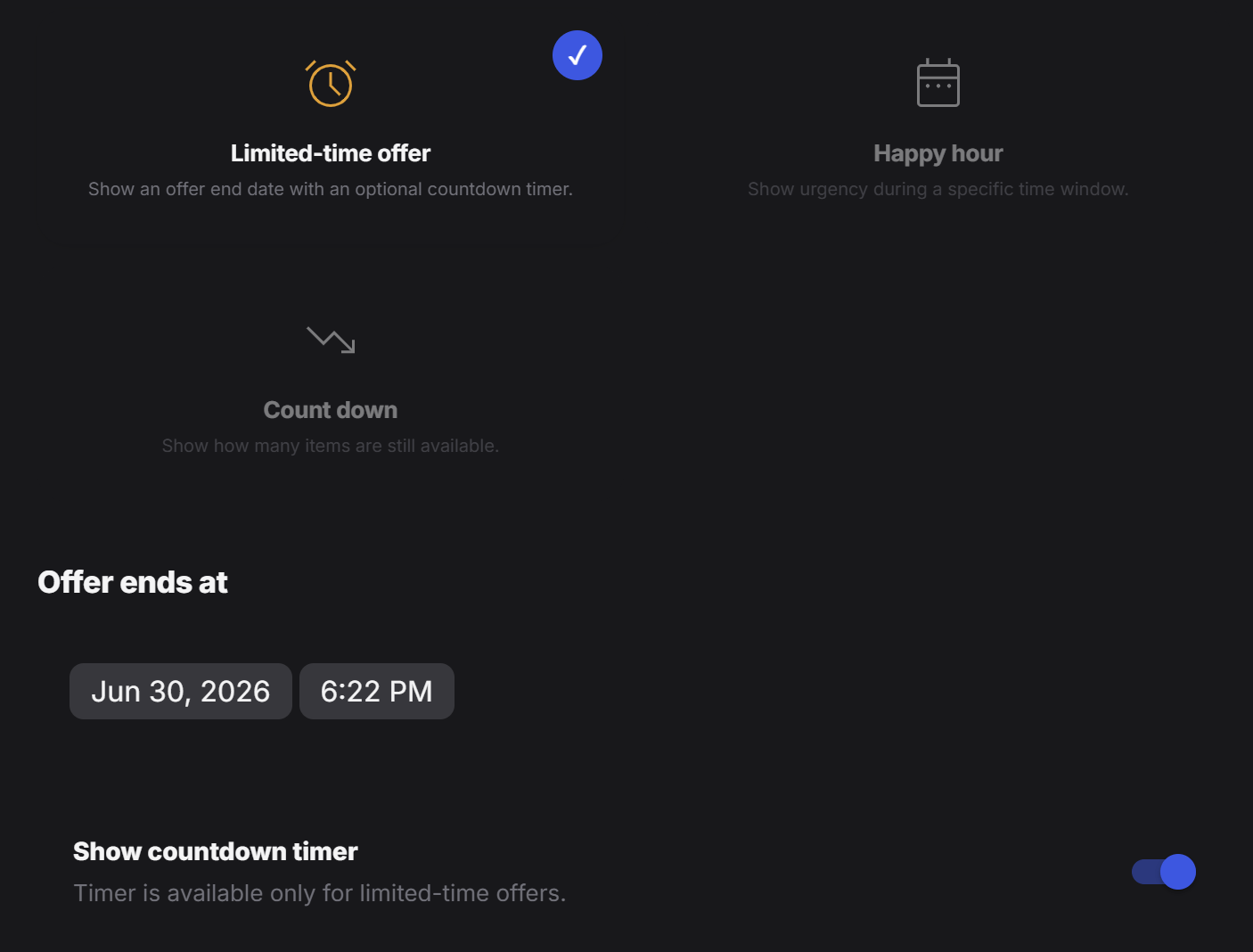 This option is useful when you want to tell customers that the promotion will expire soon. The designer can set an exact end moment and can also choose whether a countdown timer should be shown.
Common use cases:
* a weekend restaurant deal
* a one-day product promotion
* a launch discount that ends tonight
* a booking offer that expires before a certain date
If the countdown toggle is enabled, customers can see the time ticking down, which makes the message feel more immediate.
## Happy hour
Use **Happy hour** when the offer is active during a specific time window instead of one single deadline.
This option is useful when you want to tell customers that the promotion will expire soon. The designer can set an exact end moment and can also choose whether a countdown timer should be shown.
Common use cases:
* a weekend restaurant deal
* a one-day product promotion
* a launch discount that ends tonight
* a booking offer that expires before a certain date
If the countdown toggle is enabled, customers can see the time ticking down, which makes the message feel more immediate.
## Happy hour
Use **Happy hour** when the offer is active during a specific time window instead of one single deadline.
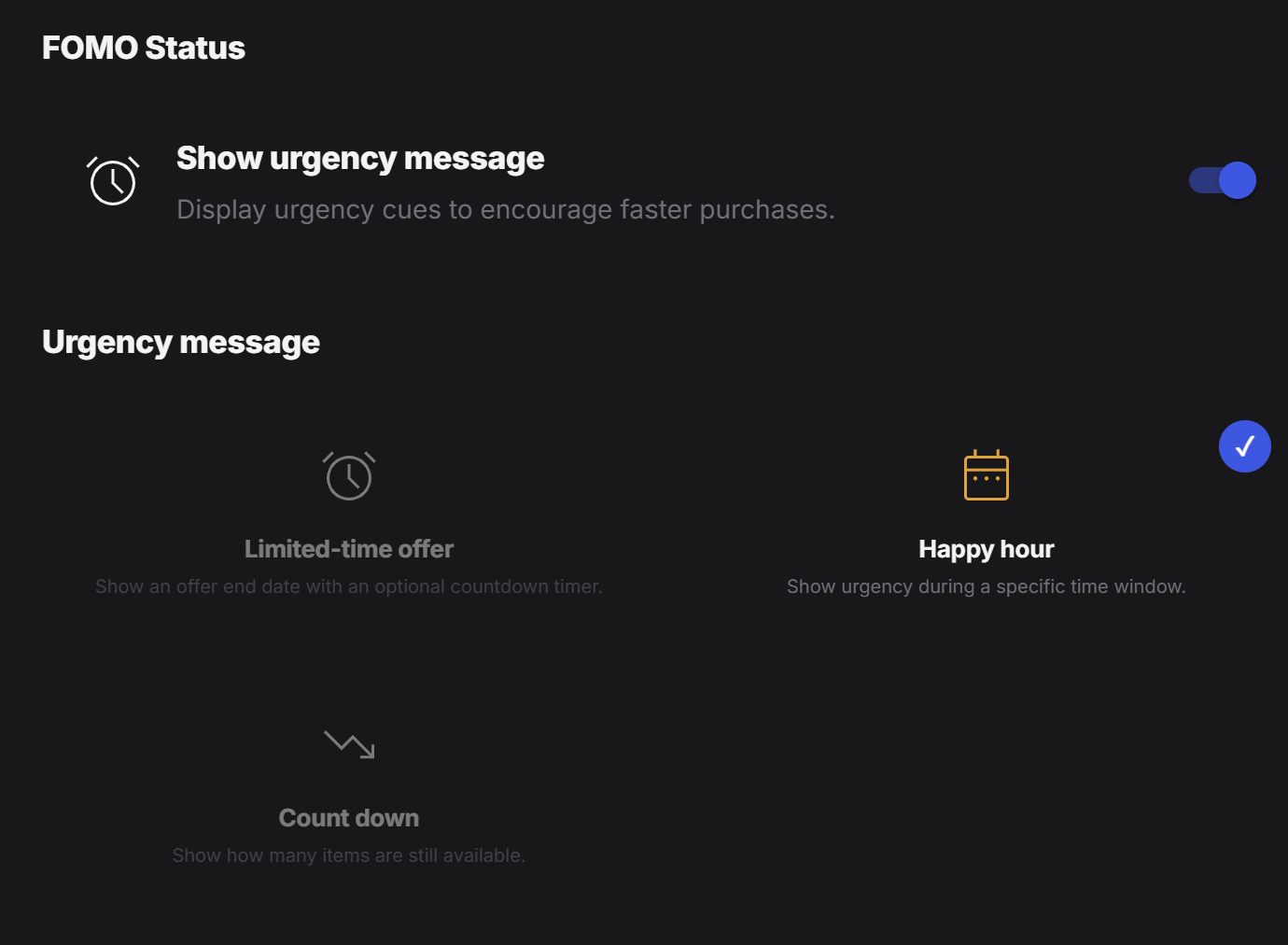 This is useful when the tag owner wants the urgency to appear only during certain hours, and optionally only during certain days as well.
The designer can configure four main parts here:
### Include date range
Turn this on when the happy hour should only run between specific start and end dates.
This is useful when the tag owner wants the urgency to appear only during certain hours, and optionally only during certain days as well.
The designer can configure four main parts here:
### Include date range
Turn this on when the happy hour should only run between specific start and end dates.
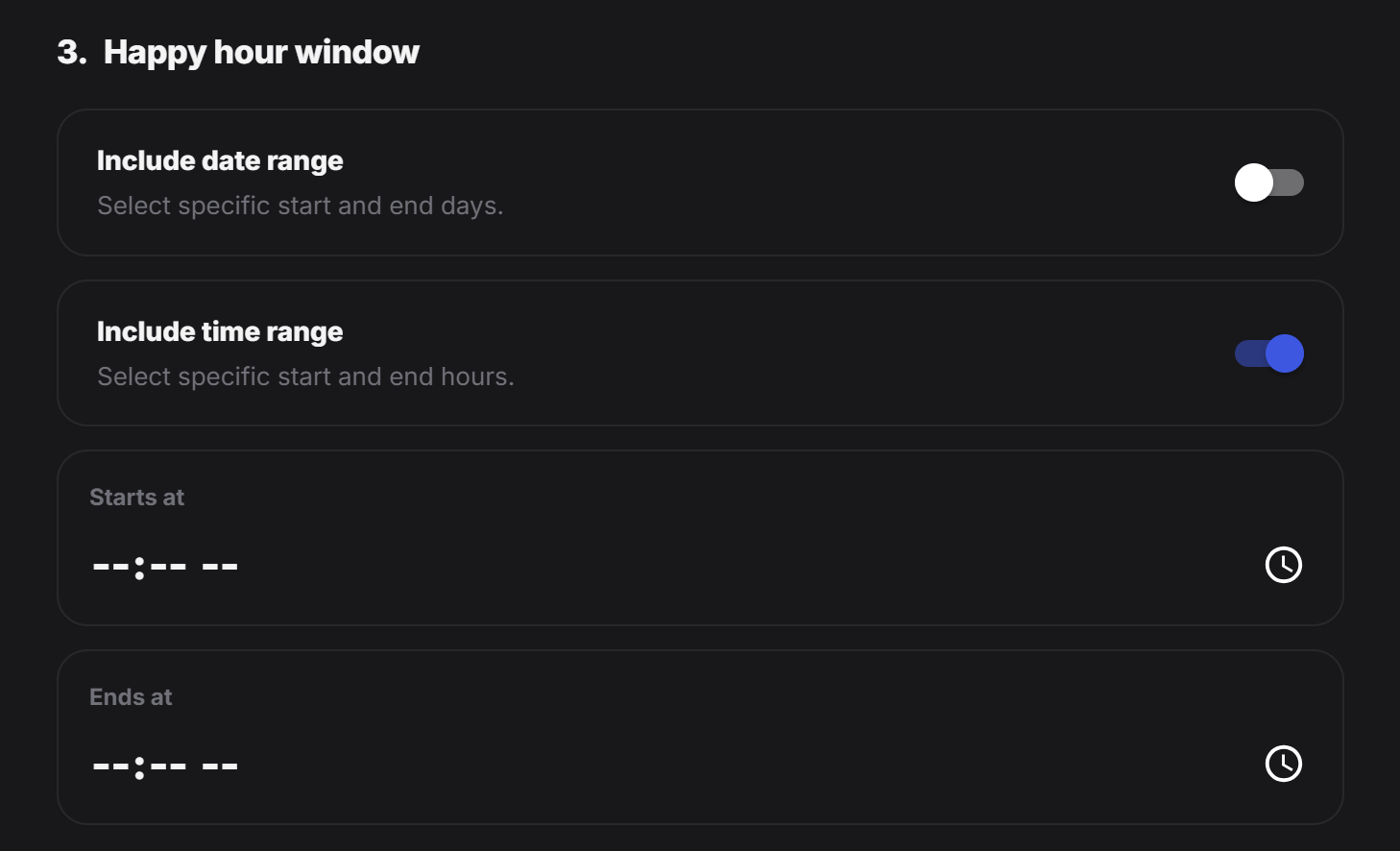 Example:
* only during a holiday week
* only for a weekend event
* only during a 3-day campaign
### Include time range
Turn this on when the happy hour should only run during certain hours of the day.
Example:
* every day from `4:00 PM` to `6:00 PM`
* lunch deal from `12:00 PM` to `2:00 PM`
* late-night menu from `9:00 PM` to `11:00 PM`
### Starts at
This is the start time of the happy hour window.
### Ends at
This is the end time of the happy hour window.
Happy hour is a good fit for:
* restaurant drink specials
* afternoon coffee promotions
* salon booking discounts during quiet hours
* store offers that should only appear during a daily campaign window
## Count down
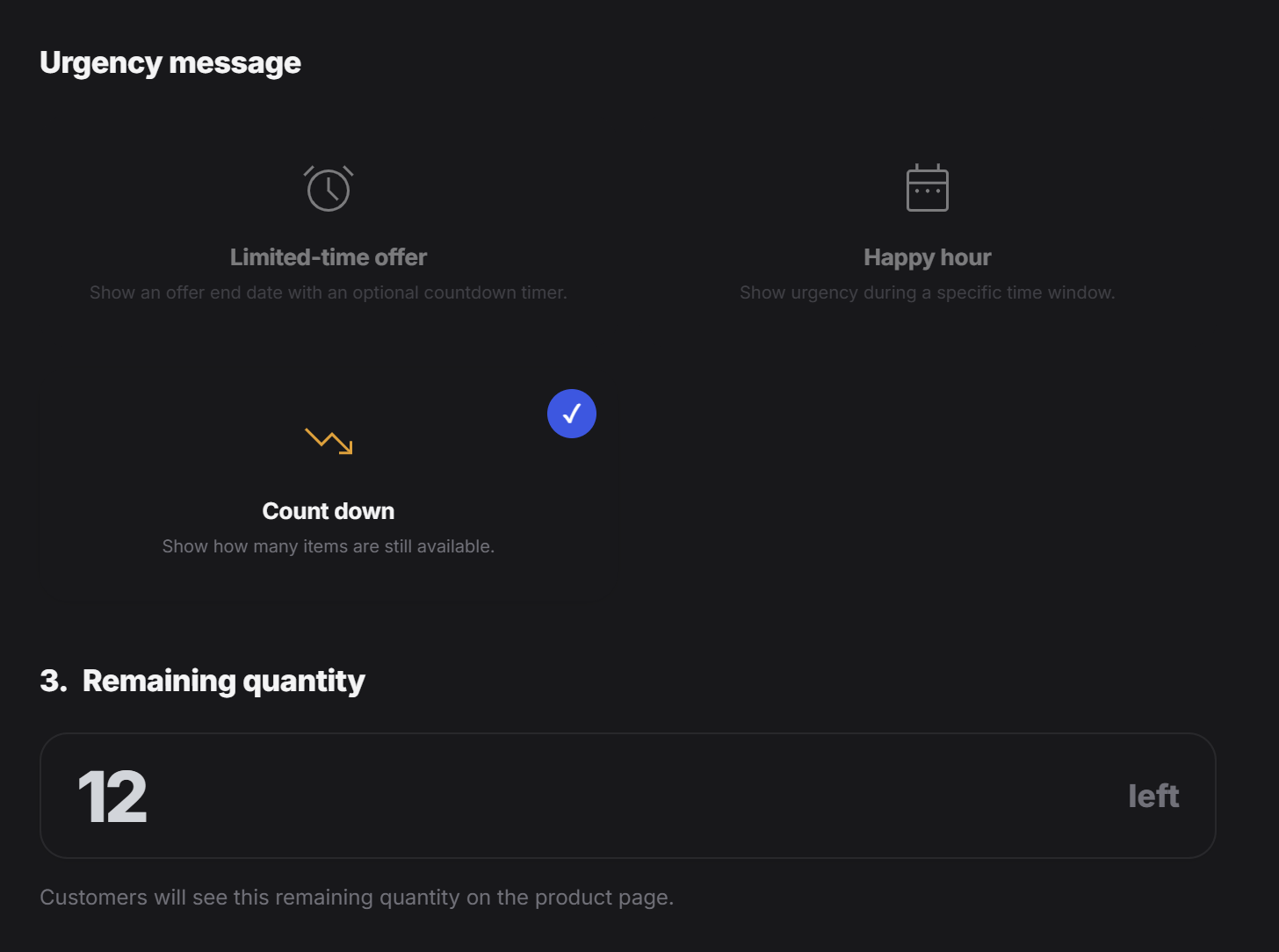
Use **Count down** when the urgency should be based on remaining quantity instead of time.
In this mode, customers see how many items, slots, or units are still left. This works well when scarcity matters more than a clock.
Examples:
* `12 left` for a limited product drop
* `5 seats left` for an event or class
* `3 tables left` for a booking window
* `8 portions left` for a special menu item
This is useful when the tag owner wants to show limited availability in a direct and easy-to-understand way.
Example:
* only during a holiday week
* only for a weekend event
* only during a 3-day campaign
### Include time range
Turn this on when the happy hour should only run during certain hours of the day.
Example:
* every day from `4:00 PM` to `6:00 PM`
* lunch deal from `12:00 PM` to `2:00 PM`
* late-night menu from `9:00 PM` to `11:00 PM`
### Starts at
This is the start time of the happy hour window.
### Ends at
This is the end time of the happy hour window.
Happy hour is a good fit for:
* restaurant drink specials
* afternoon coffee promotions
* salon booking discounts during quiet hours
* store offers that should only appear during a daily campaign window
## Count down
Use **Count down** when the urgency should be based on remaining quantity instead of time.
In this mode, customers see how many items, slots, or units are still left. This works well when scarcity matters more than a clock.
Examples:
* `12 left` for a limited product drop
* `5 seats left` for an event or class
* `3 tables left` for a booking window
* `8 portions left` for a special menu item
This is useful when the tag owner wants to show limited availability in a direct and easy-to-understand way.
 ## Choosing the right FOMO style
A simple way to decide:
| Goal | Best option |
| ------------------------------------------------- | ------------------ |
| Show a promotion that ends at a specific deadline | Limited-time offer |
| Show an offer only during certain hours or days | Happy hour |
| Show that only a small amount is still available | Count down |
## Tip
Use FOMO carefully. The message works best when it matches something real, such as an actual end date, a real time window, or true limited availability. Clear and believable urgency usually performs better than exaggerated pressure.
## Choosing the right FOMO style
A simple way to decide:
| Goal | Best option |
| ------------------------------------------------- | ------------------ |
| Show a promotion that ends at a specific deadline | Limited-time offer |
| Show an offer only during certain hours or days | Happy hour |
| Show that only a small amount is still available | Count down |
## Tip
Use FOMO carefully. The message works best when it matches something real, such as an actual end date, a real time window, or true limited availability. Clear and believable urgency usually performs better than exaggerated pressure.