> ## Documentation Index
> Fetch the complete documentation index at: https://docs.peektag.com/llms.txt
> Use this file to discover all available pages before exploring further.
# Full AI Refinement
> Use AI to regenerate, rewrite, or significantly improve a complete experience draft.
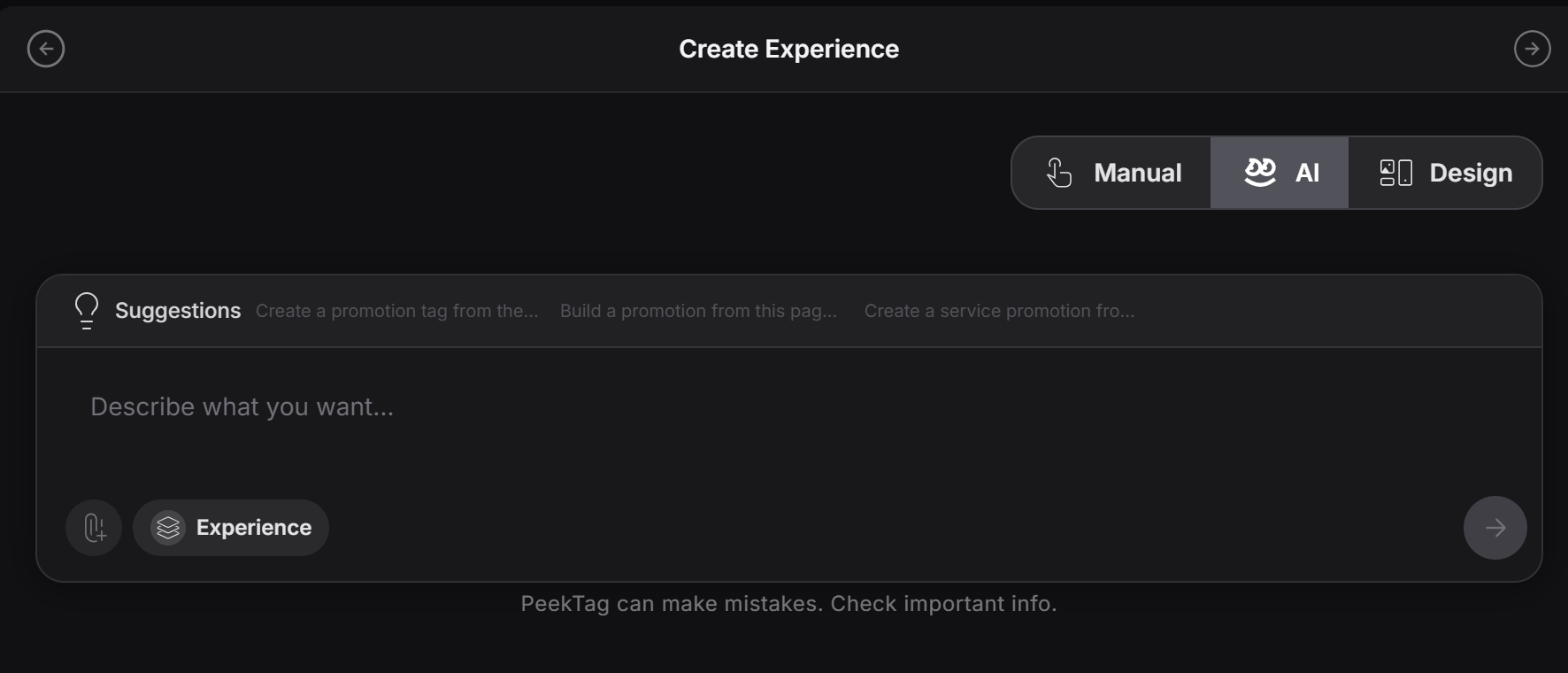
Full AI Refinement is the fast way to make a big update across the experience with one prompt.
Use this when you do not want to open many forms and change things one by one. Instead, you tell PeekTag what should change, and the AI updates the experience for you.
 ## What this is good for
This mode is usually recommended when you need a wide update that affects many parts of the experience.
For example:
* Add a 10% discount to all items in the full menu
* Mark one item as sold out everywhere it appears
* Change the tone of the whole experience
* Update many descriptions at once
* Refresh a full promotion quickly
This is useful when the designer wants to get to the result fast and does not want to work through form-based updates.
## How it works
The designer writes a prompt that explains what should change.
A simple prompt can be:
```text theme={null}
Add a 10% discount to all menu items and clearly mark lobster soup as sold out.
```
Or:
```text theme={null}
Update the whole experience so it feels more premium and evening-focused.
```
PeekTag then uses AI to apply that update across the experience.
## When designers usually use it
Designers often use Full AI Refinement when:
* They need a global update
* They want to avoid editing field by field
* They are testing different versions quickly
* They want to make a broad content change from one instruction
This can also become more useful in future PeekTag integrations with external language models or connected AI services, where the designer may want to trigger and apply changes from inside that model workflow.
## Important warning about cost
Full AI Refinement usually costs more than smaller manual or partial updates, because the AI may need to review and rewrite a much larger part of the experience.
Use it when the speed and scale of the update matter more than making a small low-cost edit.
If the change is only for one field or one small section, it is usually better to use manual editing or a smaller refinement path instead.
Think of Full AI Refinement as the "big update" tool. It is best for broad changes, fast revisions, and high-level instructions that affect the whole experience.
## What this is good for
This mode is usually recommended when you need a wide update that affects many parts of the experience.
For example:
* Add a 10% discount to all items in the full menu
* Mark one item as sold out everywhere it appears
* Change the tone of the whole experience
* Update many descriptions at once
* Refresh a full promotion quickly
This is useful when the designer wants to get to the result fast and does not want to work through form-based updates.
## How it works
The designer writes a prompt that explains what should change.
A simple prompt can be:
```text theme={null}
Add a 10% discount to all menu items and clearly mark lobster soup as sold out.
```
Or:
```text theme={null}
Update the whole experience so it feels more premium and evening-focused.
```
PeekTag then uses AI to apply that update across the experience.
## When designers usually use it
Designers often use Full AI Refinement when:
* They need a global update
* They want to avoid editing field by field
* They are testing different versions quickly
* They want to make a broad content change from one instruction
This can also become more useful in future PeekTag integrations with external language models or connected AI services, where the designer may want to trigger and apply changes from inside that model workflow.
## Important warning about cost
Full AI Refinement usually costs more than smaller manual or partial updates, because the AI may need to review and rewrite a much larger part of the experience.
Use it when the speed and scale of the update matter more than making a small low-cost edit.
If the change is only for one field or one small section, it is usually better to use manual editing or a smaller refinement path instead.
Think of Full AI Refinement as the "big update" tool. It is best for broad changes, fast revisions, and high-level instructions that affect the whole experience.